Loading...
Loading...
Portable Players
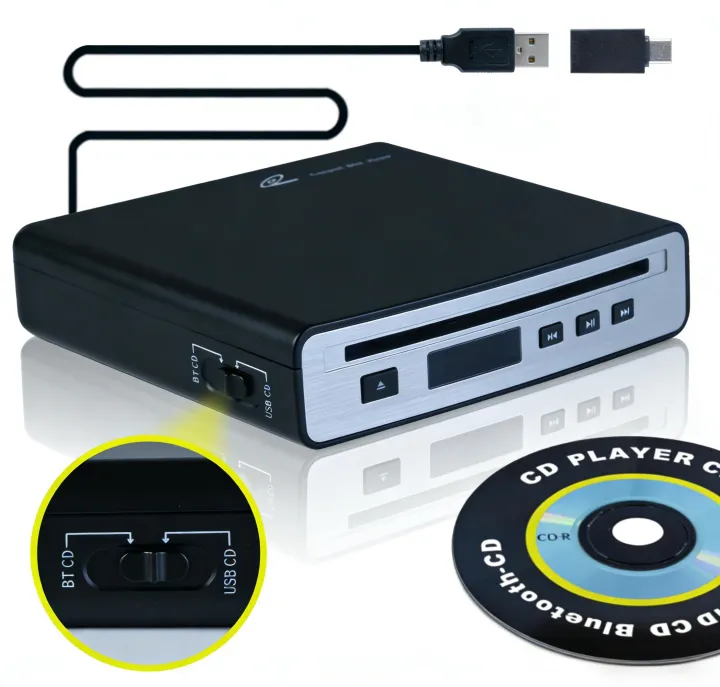
Precautions for SX-31BT operation:1. If USB mode can be used, Bluetooth mode is not required.2. If Bluetooth mode connection is used, the surrounding Bluetooth devices must be turned off (to avoid interference).2.1 If the on-board host has the search function, the search function shall be used preferentially (when the disc reading is successful).2.2 If the on-board host does not have the search function, it shall be connected in a passive way (operated when the disc reading is successful).Operation Declaration:1. The initial mode of this product is USB-CD(The display does not function in USB mode)1.1 Connect the CD player to the USB signal port of the car host (do not connect the charging port), put in the CD disc, and read successfully in about 12 seconds;1.2 Click the "Music" icon on the screen of the car host, and select the "USB Music" (the icon will vary according to different brands and models);1.3 Support for dual-mode control of touch screen/physical keys (play/pause/track switch);If the connection is successful and CD music can be played, subsequent steps do not need to be performed.2. If the USB connection does not recognize this product, use Bluetooth connection mode.*Please disconnect the Bluetooth connection between the car host and the mobile phone (or turn off the mobile phone Bluetooth)2.1 The vehicle host has the active search function2.1.1 Turn the left switch of the CD player to BT-CD,Then connect to any USB port of the Vehicle mounted host, put in CD;2.1.2 When the number of the display panel starts to change, it indicates that the reading is successful;2.1.3 Click the Bluetooth search button on the screen of the car host, find "BT CD", click connect, A pairing window will pop up, indicating successful connection;2.1.4 Click "Bluetooth Audio" to play (the icon will vary depending on the After the CD is popped out, do not remove it. The CD will automatically enter after 3 seconds. About 15 seconds later, a Bluetooth pairing window will pop up on the screen of the car host. Click "Yes" to connect successfully.*If the Bluetooth pairing window does not pop up on the car host screen, please refer to 2.2.3 and operate again.2.2.4 Click "Bluetooth Audio" (the icon will be different according to the The display panel and buttons only function below
Recommended