Loading...
Loading...
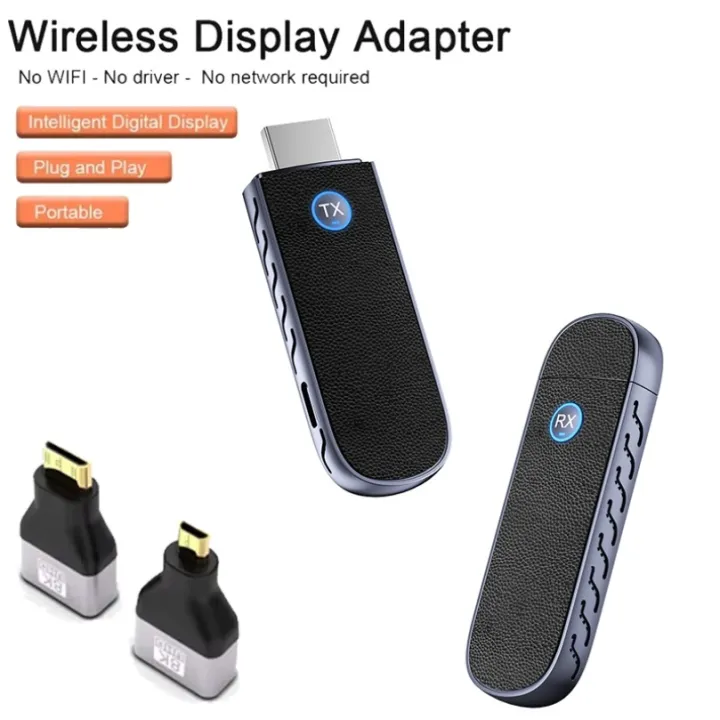
Wireless USB Adapters
Simple & Quick Connection, Effortless Screen MirroringPlug-and-play design brings ultra-simple setup workflow. After proper connection, you can finish screen mirroring transmission rapidly with easy, efficient operations, no complicated settings needed. Step 1: Set Up the Receiver (RX)Connect the RX unit to the HDMI-Compatible port of your display device (TV/projector/monitor), supply power via its Type-C interface, then switch the display to the corresponding signal source. Step 2: Set Up the Transmitter (TX)Insert the TX unit into the HDMI-Compatible port of your source device, power it through the Type-C port, and screen mirroring will activate automatically right away. Wide Scenario Applications for Diverse DemandsThis wireless video transmission kit fits multiple usage scenes perfectly:Online distance learning & multimedia classroom teachingOffice audiovisual conference & business presentationSecurity monitoring screen extensionIn-vehicle screen mirroringRadio & television studio signal transmission Full Product Specification Working Mode: Point-to-Point Wireless Video TransmissionTransmitter Interfaces: HDMI-Compatible + Type-CReceiver Interfaces: HDMI-Compatible + Type-CPower Input: 5V/2ASupported Resolution: 1080P@60HzCasing Material: Durable ABS plasticMain Color: BlueExact Dimensions: 79.2*26.3*12.1mmWarm ReminderAll dimension, weight, color data are manually measured for reference only. Slight deviations may exist caused by manual measurement tolerance, environment variation, production batch differences. Please take the actual physical product as the final standard.
Recommended