Loading...
Loading...
Wireless USB Adapters
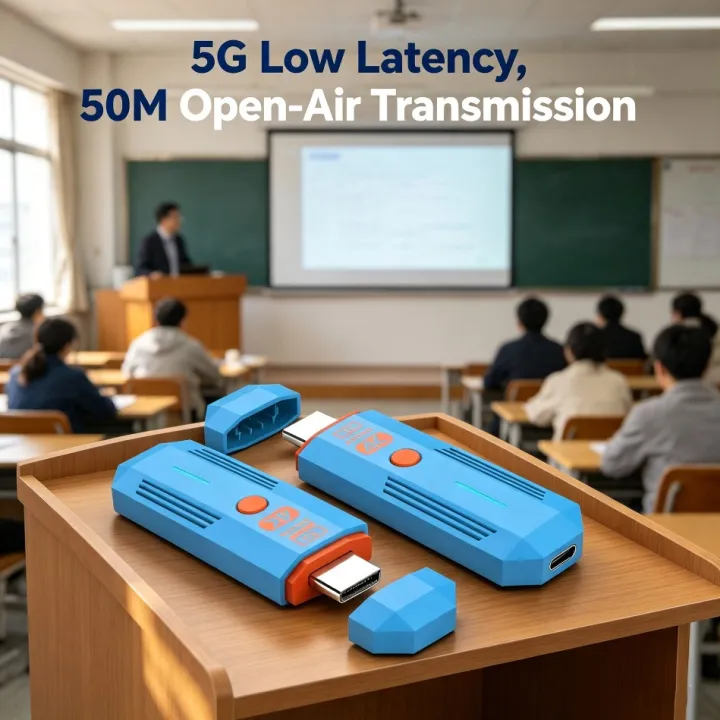
Product Features No driver, no app, no need for WIFI, plug and play2. Compact size, exquisite appearance, convenient to carry3.5G transmission, low latency, no lag4.1 Send and receive support for copying and expanding images, balancing office and entertainment5. Efficient and fast, eliminating the hassle of wiring6. Support many to one, up to 8 transmitters+1 receiver resolution upgrade, up to support 4K@30HZConnection instructions1. USB power cable, one end connected to the TYPE-C power port of the transmitter, and the other end connected to the signal sourceEquipped with USB port power supply2. USB power cable, one end connected to the TYPE-C power port of the receiver, and the other end connected to the display deviceComes with USB port power supply3. Transmitter HDMI port, insert signal source HDMI output port,4. Receiver HDMI port, insert into display device HDMI input port,5. After all display devices are connected, wait for 30 to 40 seconds for the image to appear, including the receiver and transmitterThe indicator light flashes rapidly;Matching method(1) One on one pairing method1. Long press the pairing button on the transmitter without releasing it, then connect the power supply port to the power supply and wait for the green indicator light to turn on quicklyFlash, the transmitter enters pairing mode and then releases the pairing button;2. Press and hold the pairing button on the receiver without releasing it, then connect the power supply port to the power supply and wait for the green indicator light to turn onFlash, the receiver enters pairing mode and then releases the pairing button;3. Wait for a few seconds, when the receiver's green light changes from flash to steady, it is considered a successful pairing.After pairing is completed, both the transmitter and receiver need to disconnect and reconnect the power supply;(2) One to two pairing method1. Use a one-to-one pairing method to pair the first transmitter and the first receiver;2. Pair the first transmitter with the second receiver;3. After all the receivers that need to be connected are paired with the same transmitter, the transmitter and the receiverAll receivers need to be disconnected from the power supply and reconnected;Precautions and common problem1. Connect the transmitter/receiver to the TYPE-C power supply and HDMI interface sequence: Connect the power supply first, then the HDMI interfaceHDMI;2. If an HDMI adapter is used for input/output, the maximum length is less than 1.5 meters3. Under what circumstances do we need to switch to using a power supply(1) When the receiver is connected to the display device and no signal appears on the display device, confirmAfter selecting a display device with no issues with the HDMI channel, switch to using a phone charger for receptionDevice power supply;(2) When the connection interface "Connecting..." is displayed for a long time on the TV or projector, the transmitterThe indicator light keeps flashing (slow flashing);(3) T
Recommended